
Unwatermark
Remove baked-in watermarks from images, PDFs, and presentations with a layered AI detection pipeline and neural inpainting
Demo Video
The Problem
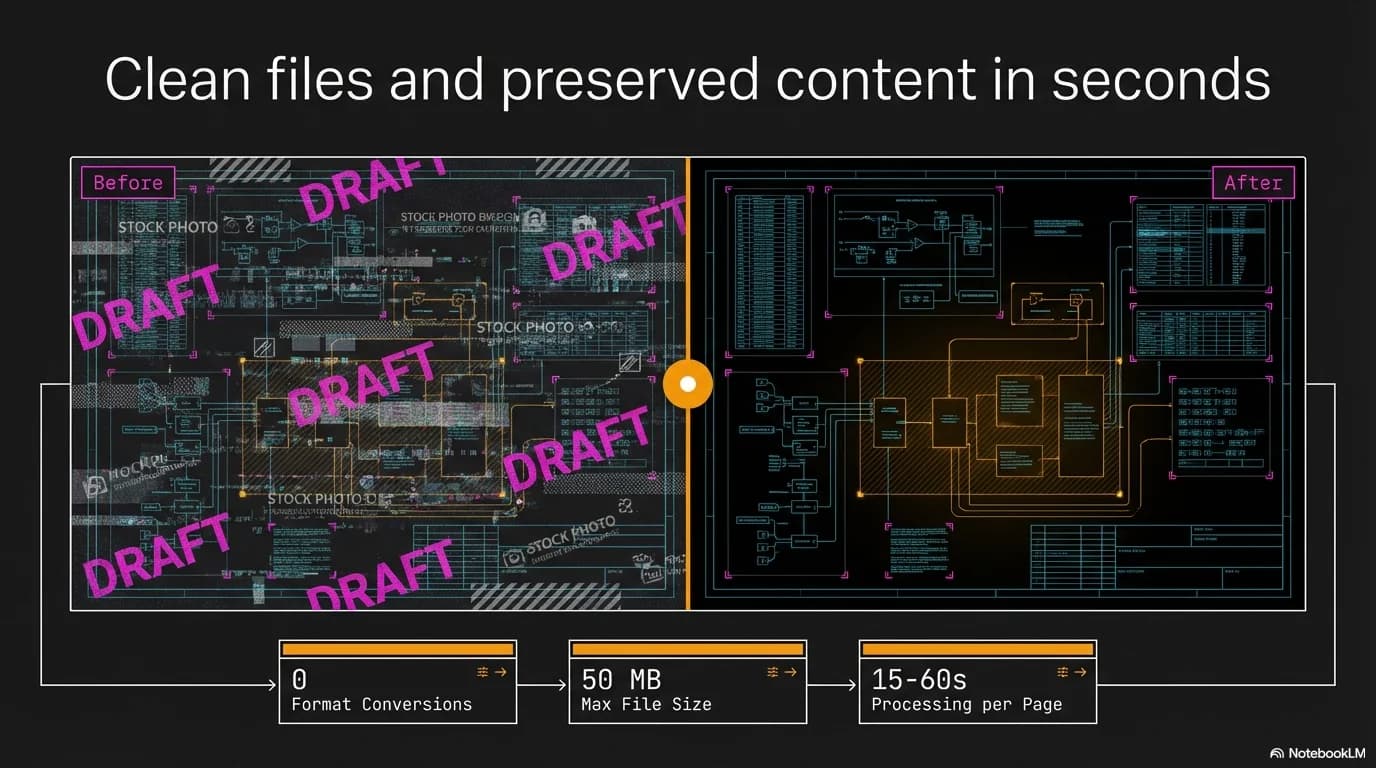
Exported slide decks and documents embed watermarks directly into raster images — there's no layer to delete. NotebookLM, stock photo sites, and draft PDFs all produce files where the watermark pixels replace original content. Manual Photoshop cleanup doesn't scale across dozens of slides. Unwatermark automates detection and removal using AI vision models and neural inpainting to produce clean, professional files in seconds.
The Solution
A layered AI detection pipeline tries the cheapest method first and escalates only when needed: EasyOCR catches text watermarks, Florence-2 and Grounded SAM handle visual detection with pixel-perfect masks, and Claude Vision serves as a fallback for non-standard cases. LaMa neural inpainting then reconstructs the content beneath the watermark instead of cloning or blurring, while up to three detect-remove passes catch any residual marks. Format-specific handlers process images, PDFs, and PPTX files through the same core pipeline.
Key Features
- Layered detection pipeline: EasyOCR → Florence-2 → Grounded SAM → Claude Vision → heuristic
- LaMa neural inpainting produces artifact-free results that preserve surrounding content
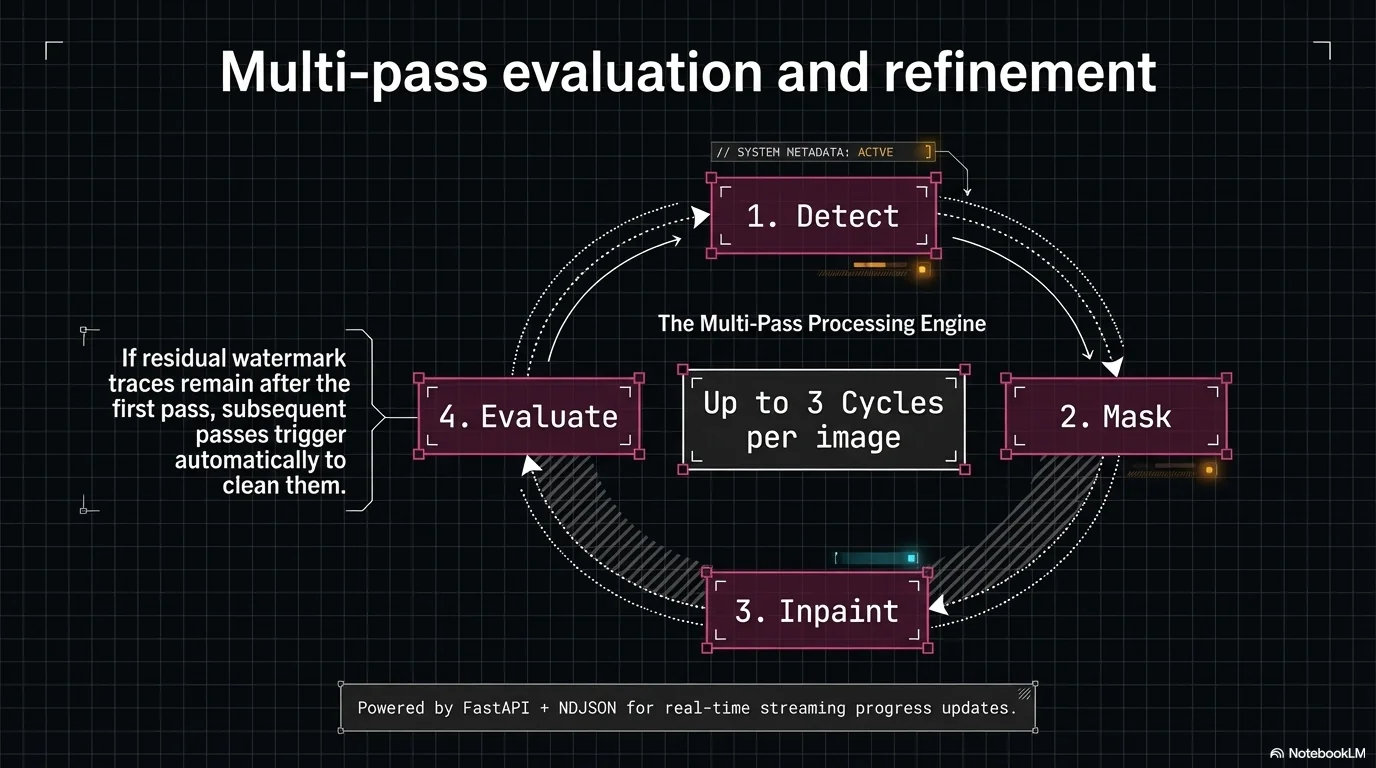
- Multi-pass removal catches residual watermarks across up to 3 detect-remove cycles
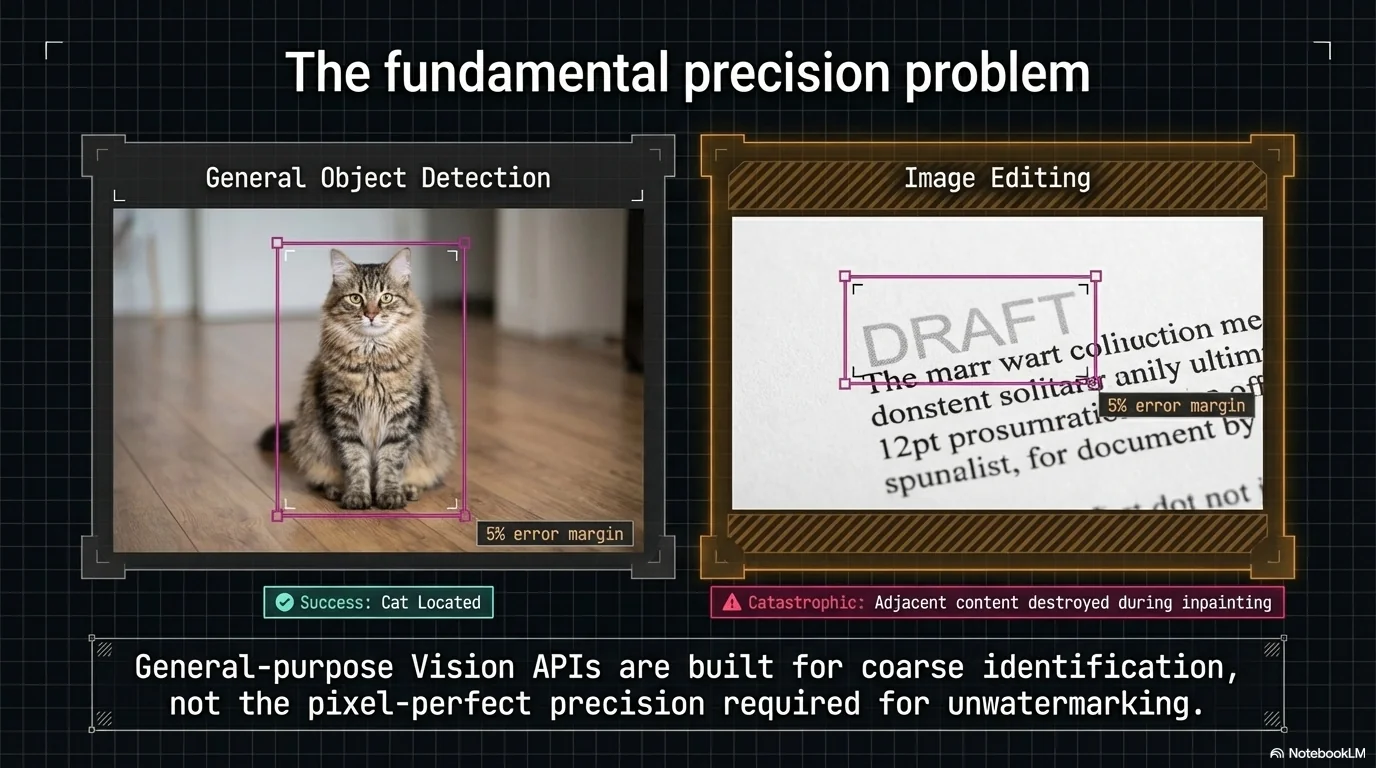
- SAM pixel-perfect masking limits removal to actual watermark pixels — no collateral damage
- Processes 14-slide PPTX exports in under 60 seconds via Replicate API
- Supports images, PDFs, and PPTX with format-specific handlers
- Drag-and-drop web UI with real-time NDJSON streaming progress
Results
Overview
Unwatermark is an AI-powered tool that detects and removes baked-in watermarks from images, PDF documents, and PowerPoint presentations. It was built to solve a specific, recurring problem: exported slide decks from tools like NotebookLM embed watermarks directly into slide images, making them impossible to remove through normal editing.
Rather than relying on a single detection method, Unwatermark uses a layered pipeline — EasyOCR for text-based watermarks, Florence-2 and Grounded SAM for visual detection with pixel-perfect masks, and Claude Vision as a fallback for non-standard watermarks. Removal is handled by LaMa neural inpainting, which reconstructs the area beneath the watermark rather than cloning or blurring over it.
The tool runs as a production web application at unwatermark.cushlabs.ai and is also available as a CLI for batch processing.
The Challenge
- Baked-in watermarks — the watermark pixels replace the original content, so there's no layer to delete and no metadata to strip
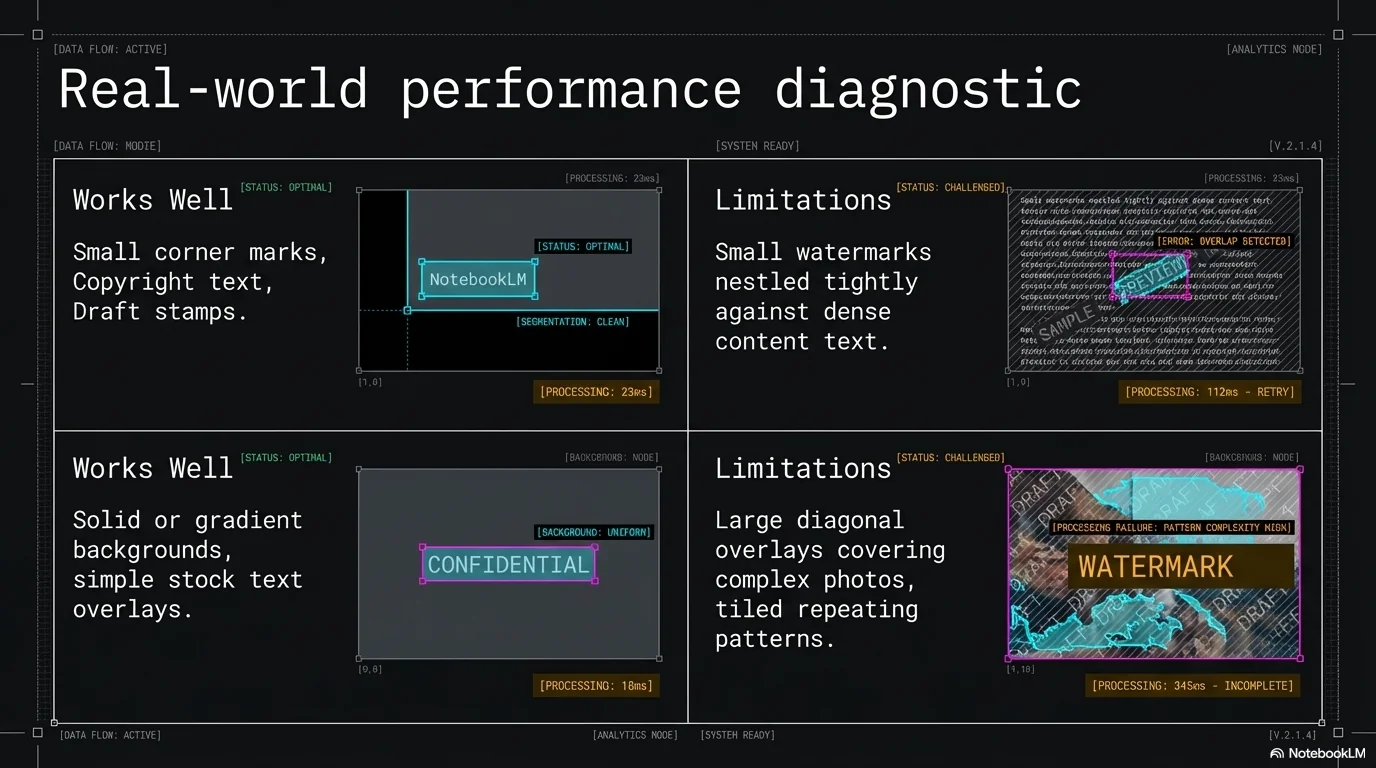
- Detection diversity — watermarks range from small text labels (NotebookLM, DRAFT) to semi-transparent logos (Shutterstock, Getty) to rotated diagonal overlays, each requiring different detection approaches
- Content preservation — aggressive removal destroys the surrounding content; conservative removal leaves visible remnants
- Scale — manually cleaning 14+ slides in Photoshop is tedious and error-prone, especially when each slide needs the same treatment
- Format diversity — watermarks appear in PNGs, PDFs, and PPTX files, each requiring different extraction and reassembly logic
The Solution
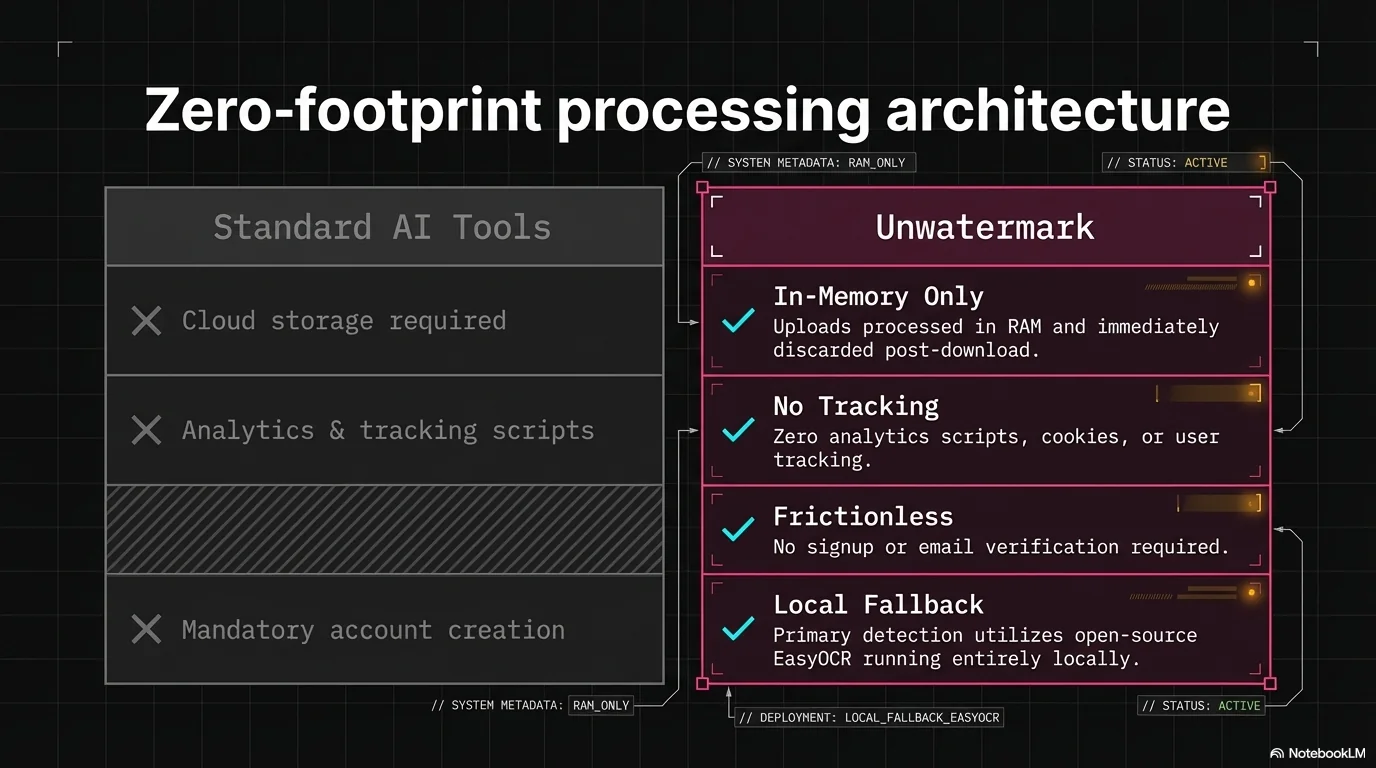
Layered AI detection pipeline: Detection starts with EasyOCR (free, deterministic, local) to catch text-based watermarks. If nothing is found, Florence-2 runs via Replicate for visual and text detection. Results are refined through Grounded SAM to produce pixel-perfect binary masks. Claude Vision serves as a fallback for non-standard watermarks that escape both OCR and visual models. A heuristic fallback covers the remaining edge cases.
Neural inpainting with LaMa: Instead of cloning or blurring, LaMa (Large Mask Inpainting) reconstructs the area beneath the watermark by predicting what the original content looked like. Combined with SAM's pixel-precise masks, this limits removal to actual watermark pixels — surrounding content stays untouched.
Multi-pass removal: Each image goes through up to 3 detect-remove cycles. Pass 1 uses the full detection stack. Subsequent passes use only cheap, deterministic methods (OCR + Florence-2) to catch any residual watermarks that the first pass exposed.
Format-specific handlers: Images are processed directly. PPTX files have their image blobs replaced in-place inside the PowerPoint package. PDFs are rendered to high-resolution images, cleaned, and reassembled. Each handler shares the same multi-pass core pipeline.
Technical Highlights
- Layered detection architecture — OCR → Florence-2 → Grounded SAM → Claude Vision → heuristic, with each tier adding cost only when cheaper methods fail
- SAM pixel-perfect masking — binary masks isolate exactly the watermark pixels, preventing collateral damage to adjacent content
- LaMa neural inpainting — state-of-the-art inpainting model that reconstructs texture and content rather than cloning or blurring
- Multi-pass pipeline — up to 3 detect-remove cycles to catch watermarks that are only visible after the first pass
- PPTX baseline reuse — first successful detection on any slide is cached and applied to subsequent slides with the same watermark position
- Provider-agnostic ML inference — LaMa, Florence-2, and SAM all run via Replicate API in production, but can swap to local or Modal backends via config
- NDJSON streaming progress — real-time progress updates to the web UI as each detection/removal pass completes
- Stateless Docker deployment — runs on a Hetzner VPS behind Caddy with HTTPS, no database required
Results
For the End User:
- Clean PPTX, PDF, and image exports from NotebookLM and other watermarked sources in under a minute
- Professional-quality output — neural inpainting produces results that are visually indistinguishable from unwatermarked originals
- Simple drag-and-drop web interface with real-time progress — zero image editing knowledge required
Technical Demonstration:
- Production AI pipeline orchestrating 4+ ML models (EasyOCR, Florence-2, Grounded SAM, LaMa) with cost-aware fallback routing
- Practical exploration of AI precision limits — pixel-perfect removal is achievable for corner watermarks but breaks down for large overlays
- Clean architecture with pluggable detection tiers, technique strategies, and format-specific handlers
- Full deployment pipeline: Docker → Hetzner VPS → Caddy reverse proxy → HTTPS
Ready to discuss a similar solution?
Let's explore how AI automation can help your business.
Schedule a Consultation